
Mods

- 1080
- 194
- 0
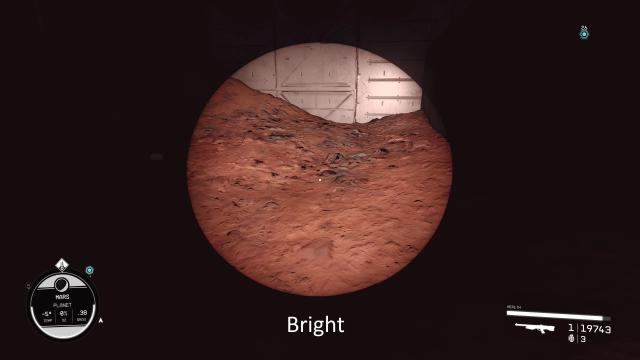
Makes the light from the flashlight much brighter (2 options: bright and even brighter, the choice is in the archive). Installation Path: Documents/My Games/Starfield


- 861
- 184
- 0
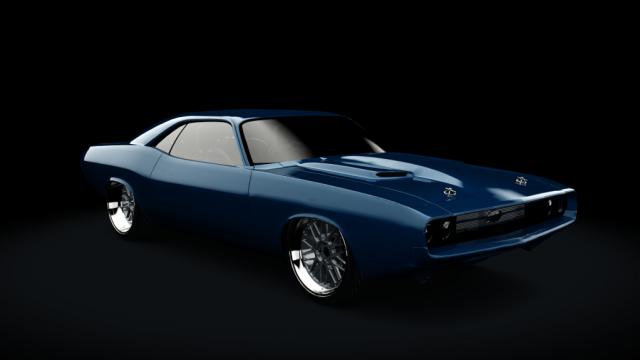
- Maximum speed: 328 km/h; - Torque: 620 Nm; - Power to weight ratio: 2.09 kg/hp; - RWD; - Country: UK - Engine power: 600 hp; - Car weight: 1256 kg; - Working lights; - Choice of color / skin.
- 1007
- 132
- 0
- Engine power: 786 hp; - Torque: 1119 Nm; - Car weight: 1675 kg; - Working lighting; - PWR: 2.13 kg/hp; - Engine: V8; - RWD; - Country: USA; - Year of production: 1970; - Choice of color / skin; - All AC standards.
- 1057
- 215
- 0
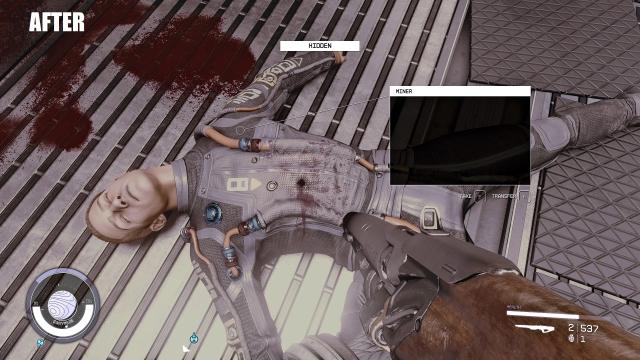
Adds bullet holes (only for organic objects, for example - bodies). Installation Path: Documents\My Games\Starfield

- 2112
- 322
- 0
Allows merchants to have an infinite supply of money and items. After installation, go to games and enter: - bat OPTRADERON to make merchants infinite money; - bat OPTRADEROFF to prevent merchants from running out of goods. Installation: - Drop the files into the root folder of the game.

- 1147
- 211
- 0
Doubles the amount of XP gained. Installation Path: /Starfield/Data Add the line sTestFile1=fasterxp_2.esp (if there are other mods - you can write sTestFile2, 3 and so on) under [General] in StarfieldCustom.ini. The archive has a ready-made StarfieldCustom.ini.

- 995
- 217
- 0
Mod for Starfield disables fall damage. Installation: - Drop the file into the root folder of the game; - Add line [General] sStartingConsoleCommand=bat NFD in StarfieldCustom.ini.
- 1849
- 257
- 0
Increases the maximum number of ship slots by x5, x10, x25, x50. Installation: - Drop files from the archive into the root folder of the game; - Open StarfieldCustom.ini (Documents/My Games/Starfield) with a text editor and add the line: [General] sStartingConsoleCommand=bat MOS - It remains to run the bat Mos command (mos5 for x5, mos10 for x10, etc.) in the console.